Receipt Organizer Software

Wellybox Receipt Organizer automatically gathers all your receipts and invoices to a single dashboard. At the end of each month you know exactly what you spent your money on. With WellyBox you’ll never lose another receipt again.

Organize Receipts Automatically

Receipt Organizer Software

Wellybox Receipt Organizer automatically gathers all your receipts and invoices to a single dashboard. At the end of each month you know exactly what you spent your money on. With WellyBox you’ll never lose another receipt again.

Organize Receipts

Maximize Your Tax Returns, It’s Your Money!

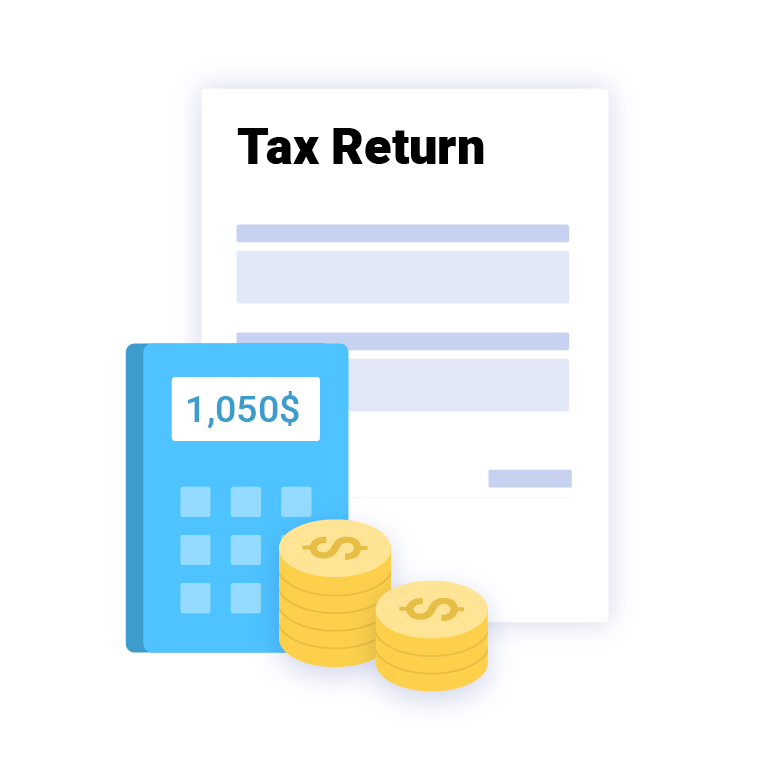
92% of people get less money each year than they should because of lost receipts. WellyBox is responsible for you to never lose another receipt, and get 100% of what you deserve from your tax return. Sales Tax, VAT, GST – you name it, and declare it.
 
 
Start for Free
receipt organizer software for tax return
cloud receipt app

Organize Receipts
in the Cloud

Send your receipts to the cloud with the click of a button and save all your important financial information. Keep receipts well organized in Dropbox, Google Drive and more, even if you are disconnected.

Start for Free

Receipt Scanner and Organizer (for Paper Receipts)

Snap or scan your paper grocery, gas, and other receipts and send them to Wellybox via WhatsApp, app or email. Your receipts will automatically be digitized, organized, and sorted by category.
Start for Free
ditize paper receipt with the receipt app
organize receipt smartly

Organize Business Receipts for Growth

As a business owner you always have to know your expenses. Use WellyBox all-in-one business receipt organizer and see your business financial stats every day. Now you can focus on growing your business.
Start for Free
receipt organizer software for tax return

Maximize Your Tax Returns, It’s Your Money!

92% of people get less money each year than they should because of lost receipts. WellyBox is responsible for you to never lose another receipt, and get 100% of what you deserve from your tax return. Sales Tax, VAT, GST – you name it, and declare it.

Start for Free
cloud receipt app

Organize Receipts
in the Cloud

Send your receipts to the cloud with the click of a button and save all your important financial information. Keep receipts well organized in Dropbox, Google Drive and more, even if you are disconnected.

Start for Free
ditize paper receipt with the receipt app

Receipt Scanner and Organizer (for Paper Receipts)

Snap or scan your paper grocery, gas, and other receipts and send them to Wellybox via WhatsApp, app or email. Your receipts will automatically be digitized, organized, and sorted by category.

Start for Free
organize receipt smartly

Organize Business Receipts for Growth

As a business owner you always have to know your expenses. Use WellyBox all-in-one business receipt organizer and see your business financial stats every day. Now you can focus on growing your business.

Start for Free

Frequently Asked Questions

Who can organize my receipts during the year?
To organize your receipts without struggling with endless paperwork and those awkward accordion file folders, go paperless. You can take a picture of each receipt with your phone and use a receipt organizer software to organize your receipts according to categories.
How can I organize my receipts for taxes?

To best organize your receipts for taxes, first make notes on each receipt about their purpose. Were they generated for business or for pleasure? Then, take a picture of each receipt and use a receipt app to scan, sort, and store your receipts in an organized fashion. This way, come tax season, your receipts will be easy to search for and retrieve, so you know exactly what to declare and what to deduct, without ever missing a deadline.

How should I organize receipts for 1099?
To best track 1099 expenses, you should organize your paper receipts by making digital copies and storing them in the cloud, together with those receipts you receive electronically or via email. You can use a receipt organizer app to automatically cull and store your receipts from your email addresses, in addition to those you upload via a dedicated messenger service (such as WhatsApp). Remember, even after you’ve filed your taxes, you must not delete the files for at least three years, in case you’re audited by the IRS.
How should I organize business receipts?
Take a picture of each physical receipt and use a receipt scanner to scan, sort, and store your receipts in an organized fashion. Alternatively, sync your digital receipts and invoices to a receipt organizer software. This way, your receipts will be easily retrievable when it’s time to compare them with your daily business journal and work out your tax deductions. You don’t want to miss out on free money, or default on any payments, do you?